
Creating a branch
Add a second location, give it a manager and file devices and stock under it.
Why a branch, even with one shop
A branch is a physical place. Devices sit in one, stock is counted in one, employees are assigned to one, and the reports can be read one branch at a time.
Create it on day one even if you only have the one shop. Adding it later means going back through every machine and every product to file them, and Rank cannot guess which belongs where.
Open Branches
Branches → All Branches, then Add Branch. Only the owner sees this section.

Fill in the details
- Branch Name — what you and your staff call the place: “Downtown”, “Nasr City”.
- Branch Code — a short tag that identifies it in lists and reports. Three letters is plenty.
- Phone and Email — the shop's own contact details.
- Address — the street address.
- Assign Manager (optional) — an existing user who runs this place. You can leave it empty now and set it once you have created their account.
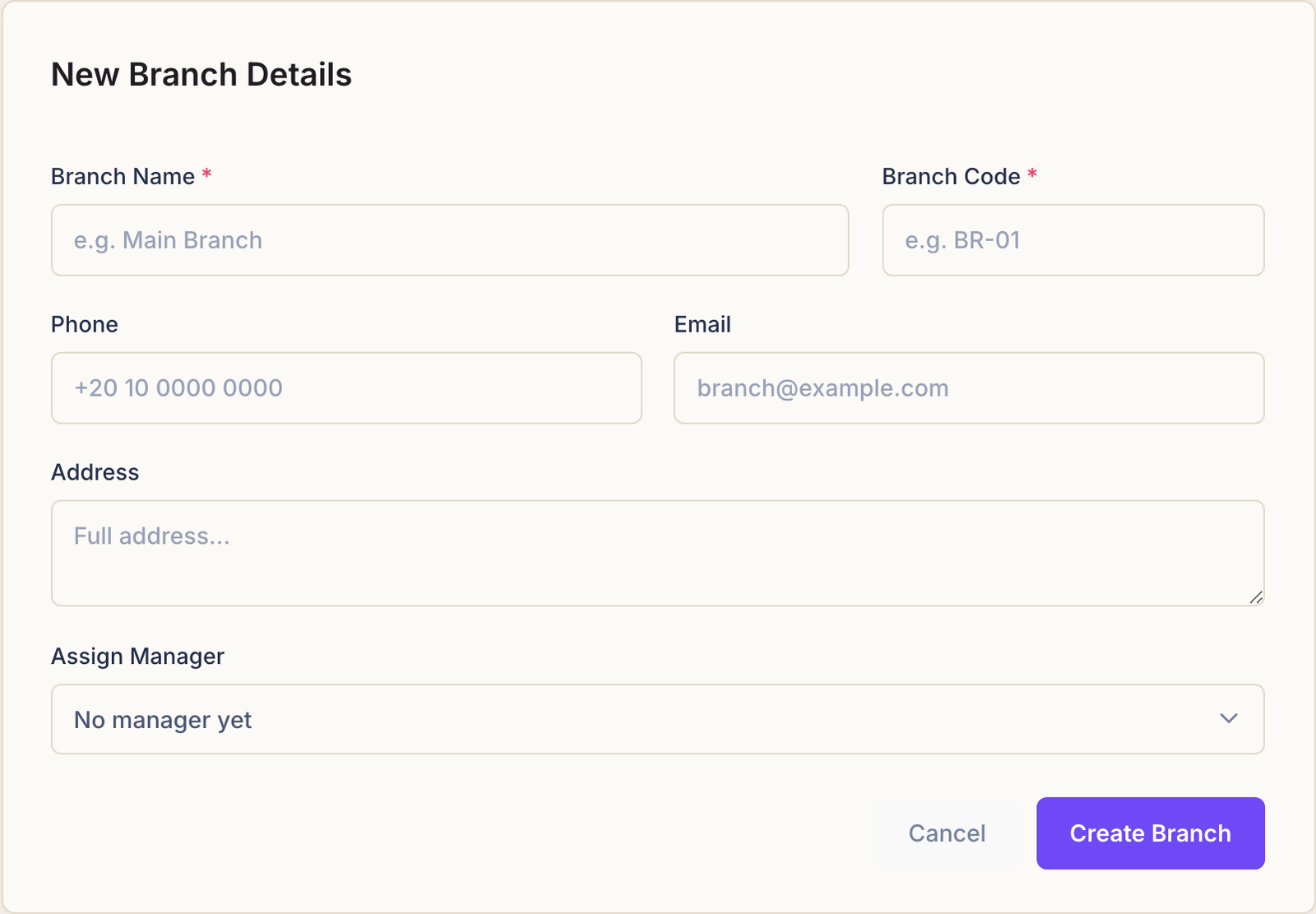
Press Create Branch.
What changes once a branch exists
Rank starts asking which place things belong to:
- Devices gain a branch field. A machine with none shows as Unassigned.
- Products must name a branch, because stock is counted per place.
- Employees can be assigned to one.
- Analytics gains a branch view, and the branch list gains a dashboard of its own.
With two branches, a crate carried from one to the other has to leave one branch's count and join the other's, so both sets of numbers stay true.
Plan limits
Every plan allows a set number of branches, and the branch list shows how many of yours are used. At the limit, Add Branch tells you so and offers to upgrade. Nothing that already exists is affected.
Common questions
I have one shop. Do I really need this?
Yes, and it costs a minute. Products cannot be created without a branch to hold their stock, and assigning everything retroactively is slower than doing it now.
Can I move a device to another branch?
Edit the device and pick the other branch. It moves with its history.
Can an employee work in two branches?
An account is assigned to one branch. Someone who genuinely splits their week is usually simplest as an unassigned account, so they are not tied to the wrong place.
What happens if I delete a branch?
Rank asks you to confirm. Move its devices and stock somewhere first — deleting the place they are filed under is not a tidy way to close a shop.