
Adding a device
Put a new PlayStation on the floor and give it its hourly and per-game prices.
Open the Devices page
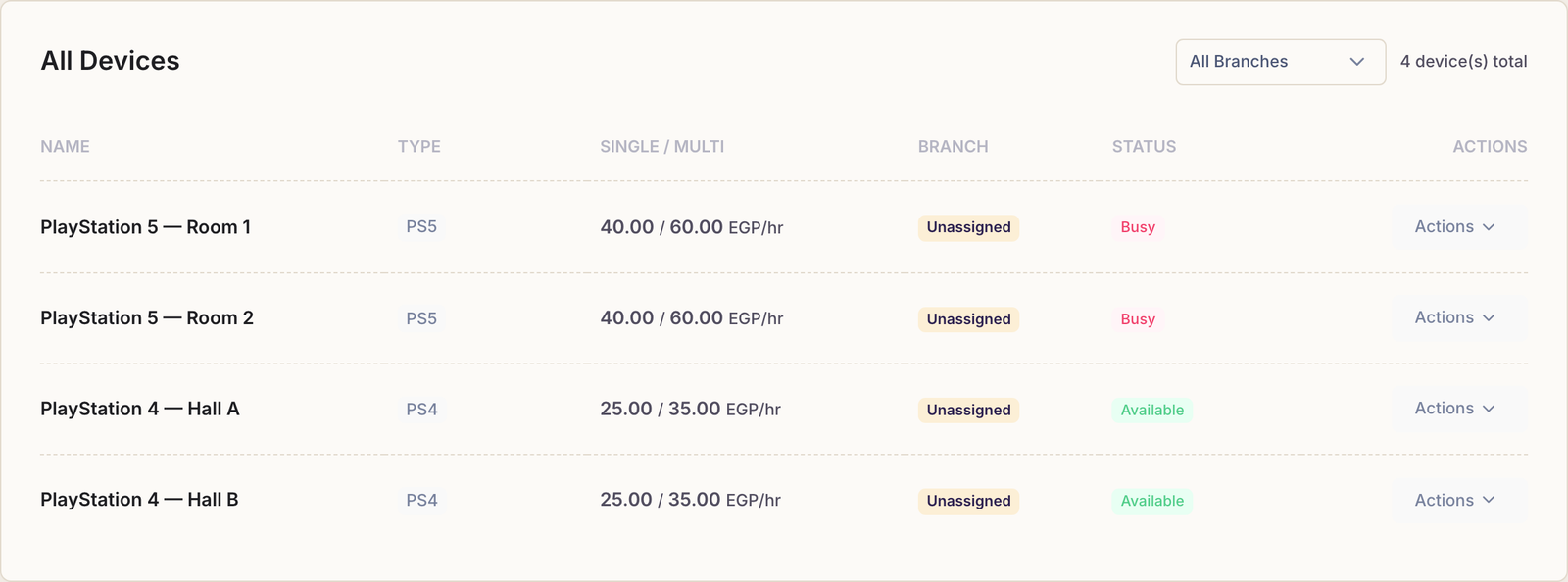
Choose Devices in the menu. Everything you own is listed here with its type, its two hourly rates, its branch and whether it is free right now. Press Add Device at the top right.
Fill in the form
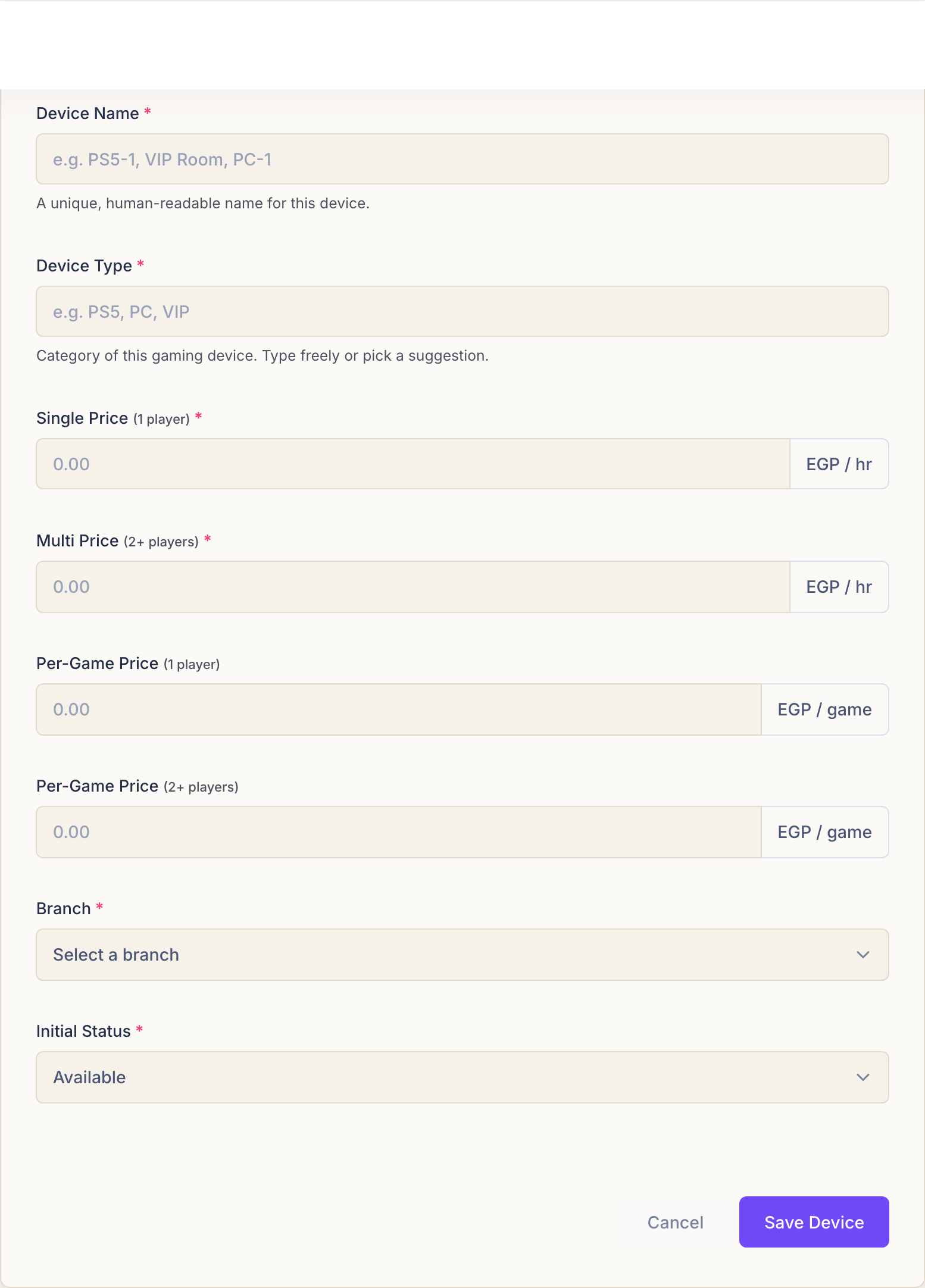
Six fields matter; the rest can wait.
- Device Name. What your staff call it out loud. “PlayStation 5 — Room 1” is a better name than “PS5-01”, because it is what someone shouts across the floor.
- Device Type. PS4, PS5, or whatever you actually have. Type freely or pick one of the suggestions — it is what groups your machines in the reports.
- Branch. Which shop the machine sits in. With one branch there is one choice; with none yet, Rank creates it unassigned and you can file it later.
- Initial Status. Leave it on Available unless the machine is not ready for customers, in which case choose Maintenance.
What each price means
Rank asks for four prices because a gaming café charges in two different ways, and each way has a solo rate and a group rate.
- Single Price (1 player) — per hour, one person playing.
- Multi Price (2+ players) — per hour, a group playing. Usually the higher of the two.
- Per-Game Price (1 player) — per match, one person, when you charge by the game rather than the clock.
- Per-Game Price (2+ players) — per match, a group.
Whichever pair applies is decided when the session starts, not here: the card on the dashboard is where you pick single or multi, and hourly or per-game. This form only tells Rank what those choices cost.
Not charging by the match? Fill the per-game prices in anyway, or leave them at zero and simply never pick By Game on a card. Nothing else changes.
Save it
Press Save Device. The machine appears in the list straight away, and a card for it appears on the dashboard ready to take its first session.
Common questions
The Add Device button says I have reached a limit.
Every Rank plan allows a set number of machines. You are at the ceiling of yours: upgrade the plan, or free a slot by freezing a machine you are not using. Nothing you already have is lost either way.
Can I change a price later?
Yes — edit the device at any time. The new price applies to sessions started after the change; anything already running keeps the rate it opened at, so a customer is never surprised mid-game.
Where do I start a session from?
Not here. The Devices page manages machines; play starts from the cards on the dashboard. See starting a session.