
Editing & retiring devices
Change a price, rename a machine, send it to maintenance or switch it off.
Reading the list
Devices in the menu lists every machine you own. Each row carries its type, the two hourly rates, the branch it belongs to and what it is doing right now.
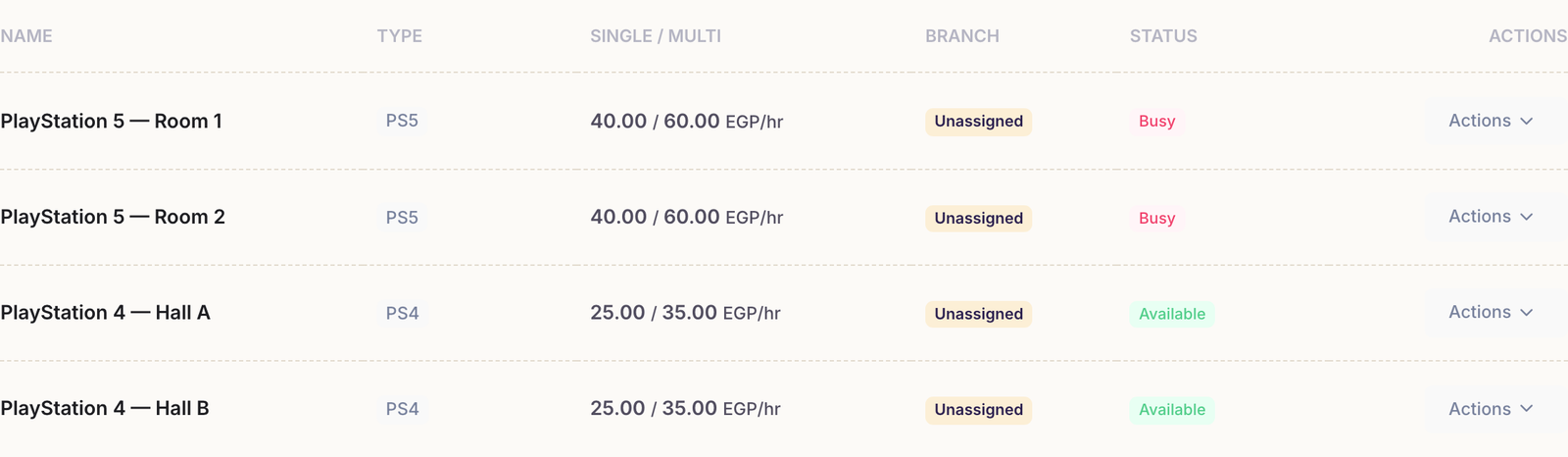
The status column is the one to read first:
- Available — free, and can take a session now.
- Busy — a customer is playing on it.
- Maintenance — you took it out of service; no session can start on it.
- Frozen — you have more machines than your plan allows, so Rank locked this one.
Changing a price or a name
Open Actions on the machine's row and choose Edit. The form is the same one you filled in when you added it — every field can be changed, including all four prices and the branch.
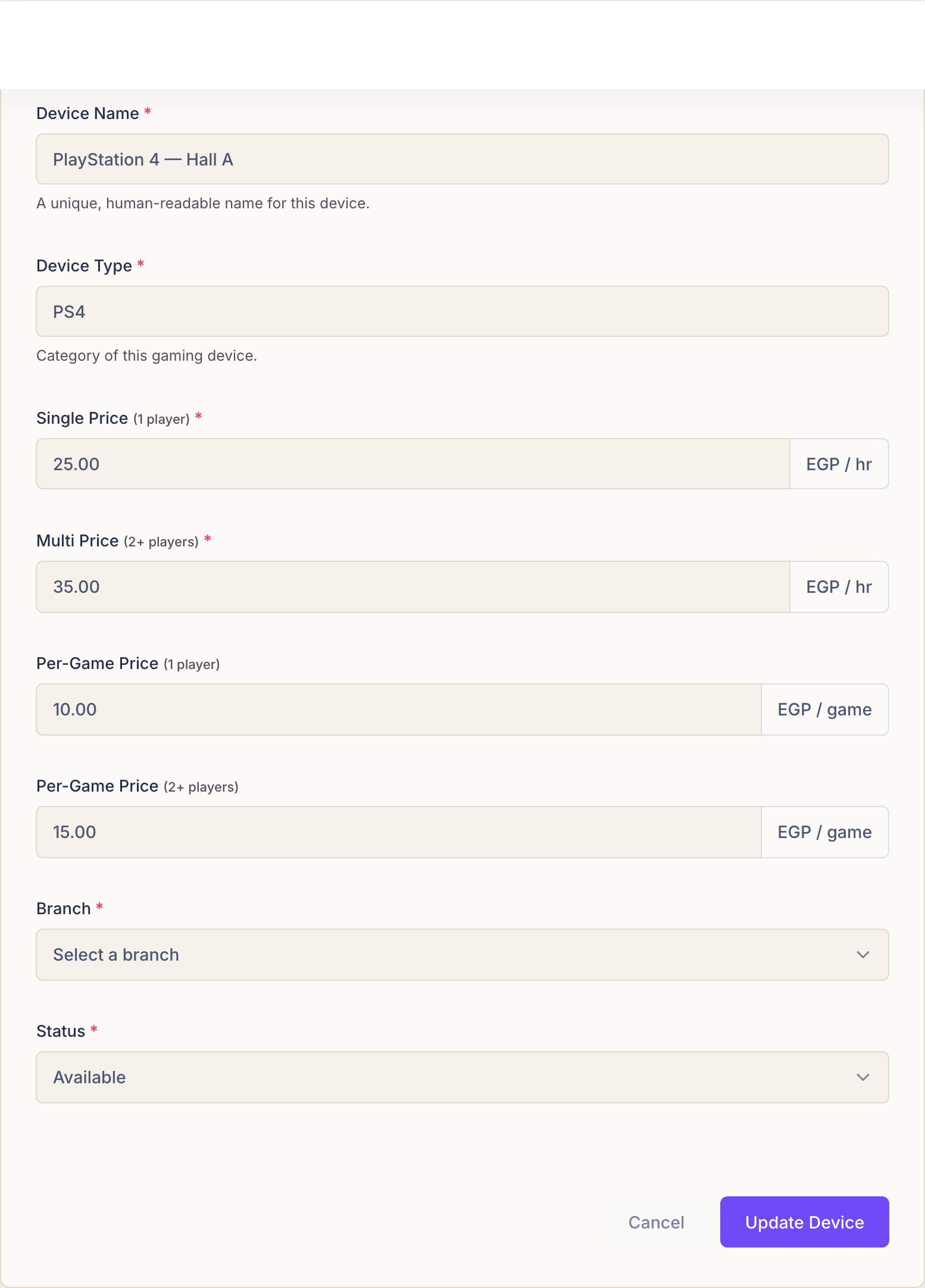
A price change never reaches back. Sessions already running keep the rate they opened at, and sessions already paid for are not recalculated. The new price applies from the next session on that machine.
Taking a machine out of service
When a controller dies or a screen goes, edit the device and set its status to Maintenance. It stays in your list and keeps its history, but no one can start a session on it — which is better than telling every employee to remember not to use it.
Set it back to Available when it is fixed.
Freezing and deleting
The Actions menu offers two more choices, and they are not the same thing.
- Freeze Device puts the machine aside without losing anything, and frees a slot against your plan's device limit. Activate Device brings it back.
- Delete removes it. Rank asks you to confirm, because it cannot be undone.
Freeze rather than delete when a machine might come back. Deleting is meant for a card you created by mistake, not for a PlayStation that has gone to the repair shop — a frozen machine keeps the sessions it has already served, and the reports keep making sense.
Common questions
A machine says Frozen and I did not freeze it.
Rank froze it for you: your account has more machines than the plan allows, so rather than delete anything it locked the extra ones. Upgrade the plan, or freeze a machine you actually want parked, and this one becomes usable again.
Can I move a machine to another branch?
Yes — edit it and pick the other branch. It moves with its history, and it appears on that branch's dashboard from then on.
I cannot see the Actions menu at all.
Your account can view devices but not manage them. Only the owner, and employees given the manage-devices permission, can add, edit, freeze or delete machines.