
Welcome to Rank
A tour of the screens you will use every day, and what each one is for.
What Rank is for
Rank replaces the notebook next to the till. It knows which PlayStation is in play and for how long, what the customer owes, what came out of the fridge, which employee was on shift when the money came in, and whether the month made a profit once the rent is counted.
Three ideas hold the whole product together:
- A device is one machine on your floor, with its own prices.
- A session is one customer playing on one device, from sitting down to paying.
- A shift is one employee's working stretch, and every pound they took in belongs to it.
The dashboard
Signing in lands you on the dashboard. The row of tiles across the top is the state of the café right now — how many machines are in play, how many are free, and what has been taken today, this week and this month.

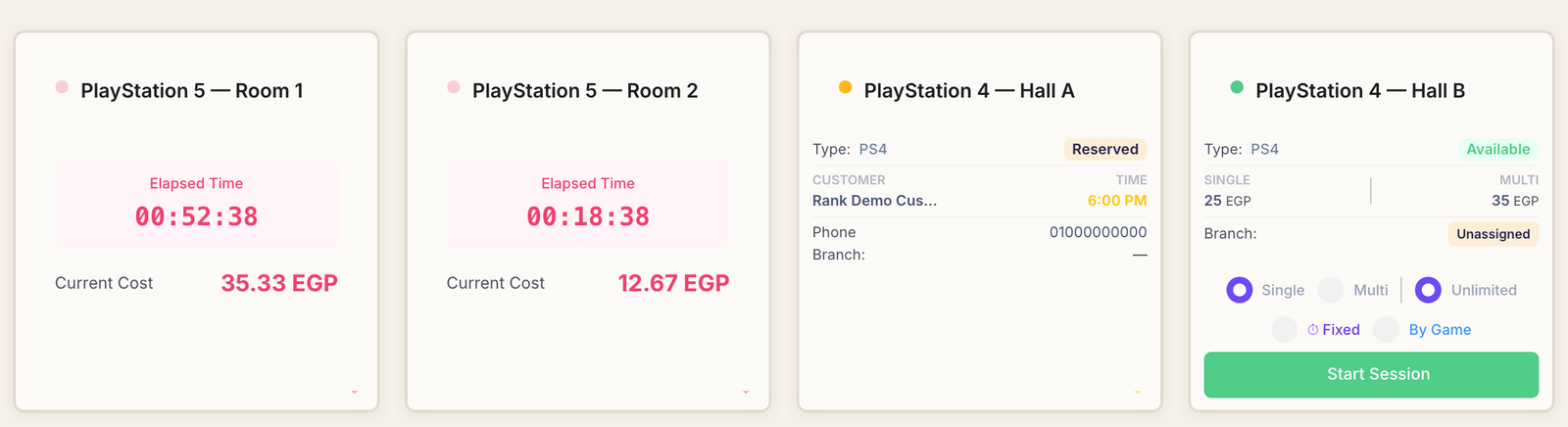
Below the tiles is Device Overview — one card per machine, and the screen you will spend most of the day on. Green cards are free and carry a Start Session button; pink cards are in play and count time and money upward as the customer plays.
The menu down the side
Everything else lives in the menu, grouped by the part of the business it belongs to:
- Sessions — reservations, what is running now, and what finished earlier.
- Devices — adding machines and setting their prices.
- Inventory — the drinks and snacks you sell, and what is left of them.
- Sales — the till, for a customer buying something without playing.
- Shifts — opening and closing the cash drawer.
- Expenses — the rent, the electricity, the small stuff.
- Analytics — revenue, busiest machines, and profit after costs.
- Branches, Users and Settings — the owner's side of the house.
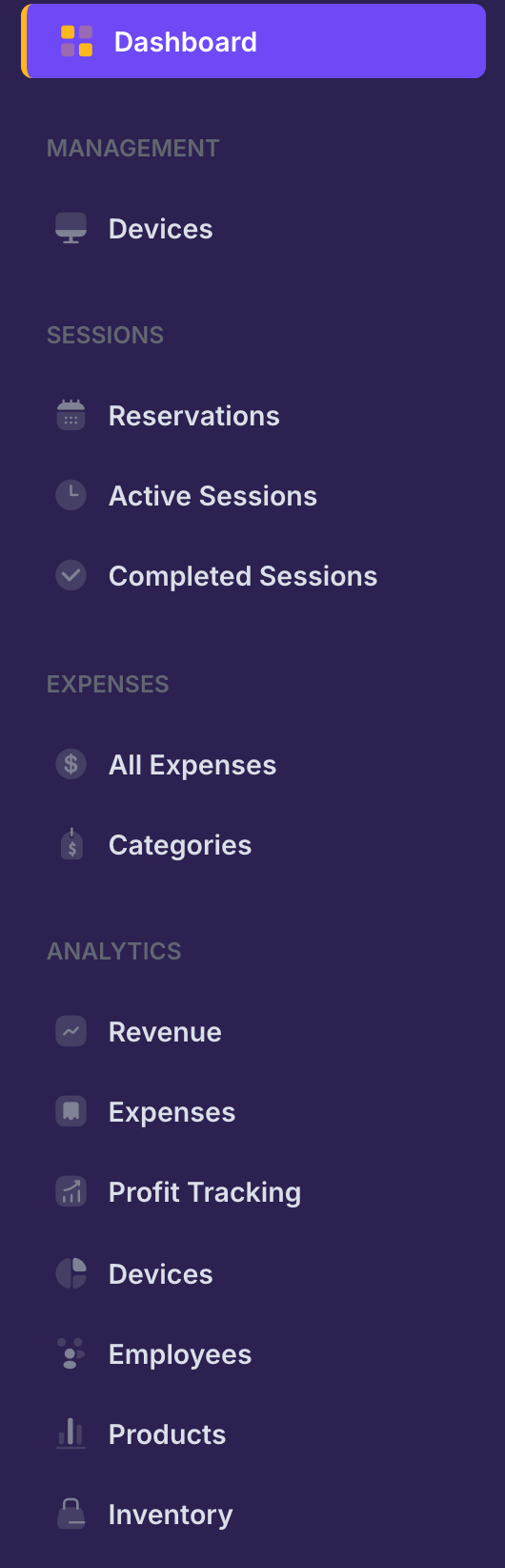
Your menu may be shorter than this one. Rank only shows what your account is allowed to open, and some sections belong to the plan you are on. Nothing is broken if a heading in this list is missing from yours.
Who sees what
The café owner sees everything and is the only one who can add employees, add branches, change settings or read the money reports.
An employee sees exactly what you tick for them when you create their account — typically starting and ending sessions, selling from the till and running their own shift, and nothing else. Adding an employee walks through those choices one by one.
Where to go next
- Setting up your café — the six things to do on day one.
- Starting a session — the one thing you will do a hundred times a day.
- Reading your reports — once the data starts arriving.