
Recording expenses
Log the rent, the electricity and the small stuff so profit means something.
Why bother
Revenue on its own is a flattering number. The rent, the electricity, the internet, the controllers you replaced last week — none of it appears anywhere in Rank unless somebody types it in, and until it does, the profit report has nothing to subtract.
Five minutes a week here is what turns “we took 40,000 this month” into “we kept 9,000”.
Set up your categories
Expenses → Categories. Make a handful that match how you actually think about the money going out: Rent, Electricity, Internet, Supplies, Maintenance, Salaries.
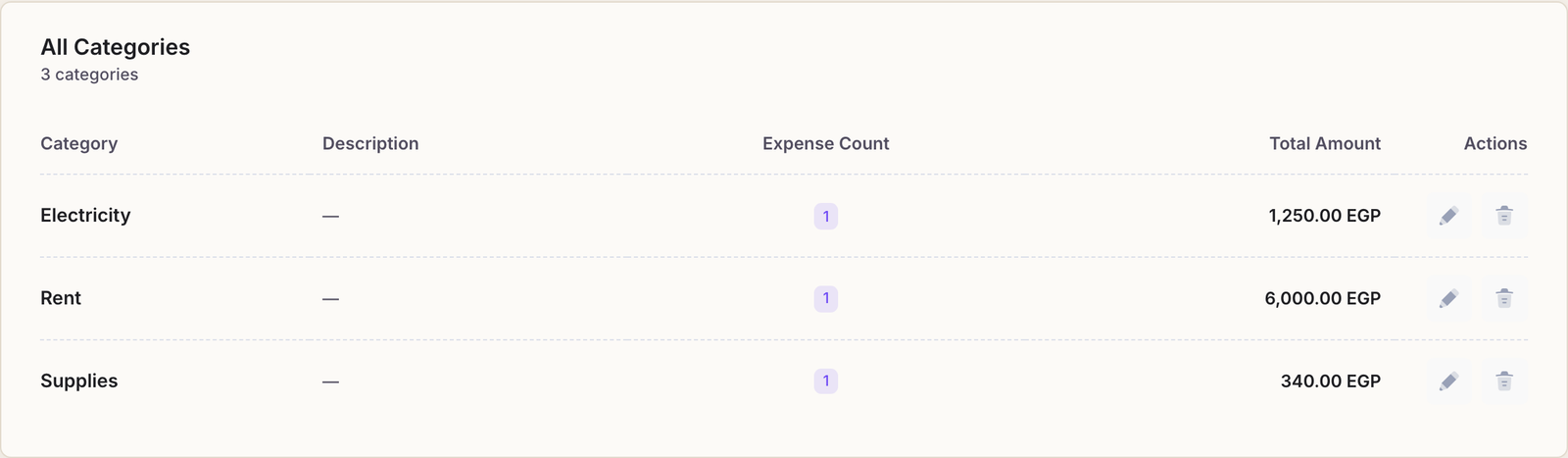
Keep the list short. Categories exist so you can see where the money goes at a glance. Twenty of them means nobody picks the same one twice and the breakdown stops meaning anything.
Record an expense
Expenses → Add Expense. Four fields:
- Expense Date. The day the money actually left — not today, if you are catching up on last week's receipts. The reports read this date.
- Category. One of yours.
- Amount. In your currency.
- Description (optional) — worth filling in. “August electricity bill” answers a question in three months that “1250” will not.
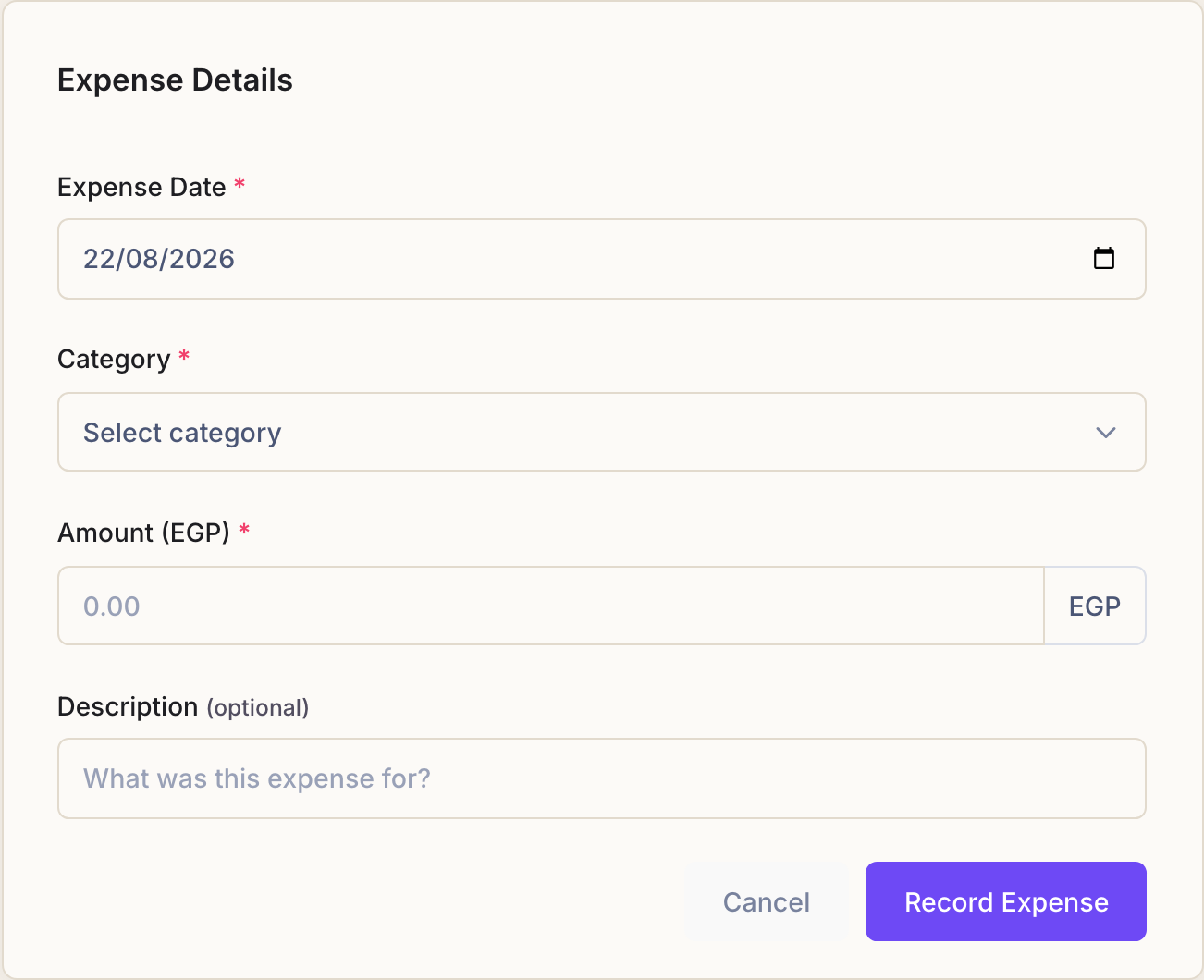
Press Record Expense.
Reading the page
The Expenses page opens on this month. The period buttons across the top — Today, Yesterday, Last 7 Days, Last 30 Days, This Month, This Year, Custom — change what is counted, and the total above the table follows.
The category filter beside them narrows it to one kind of spending, which is how you answer “what are we actually paying for electricity?”
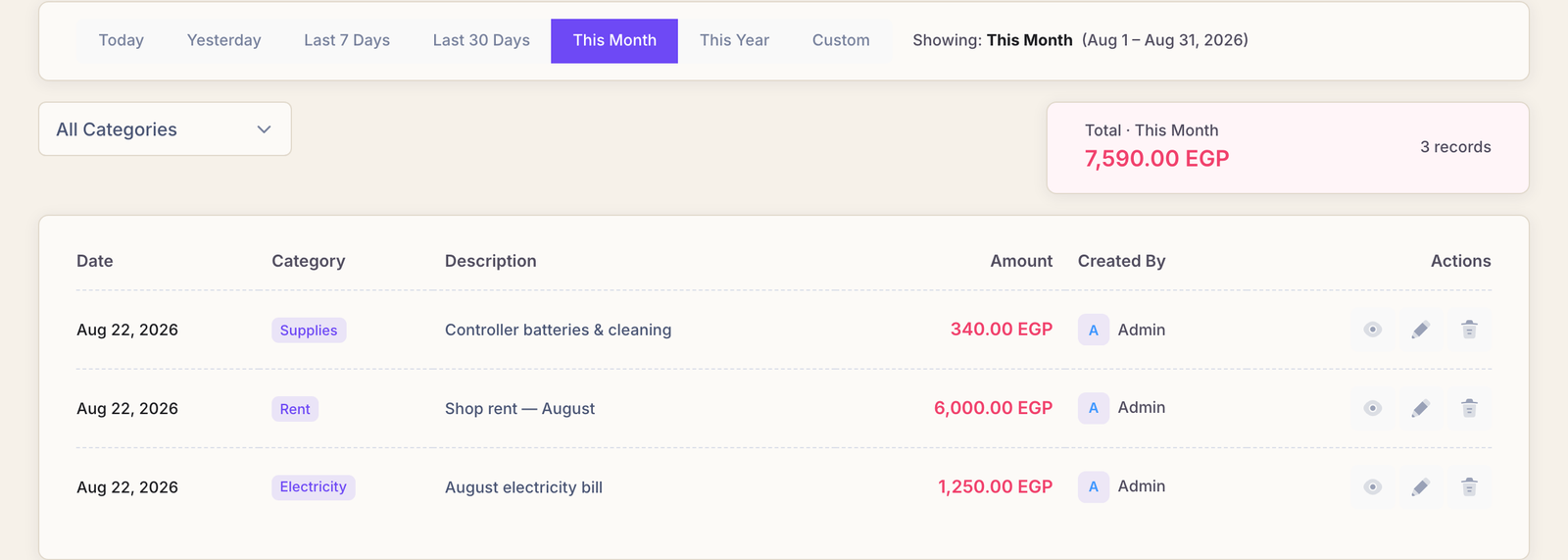
Each row records who entered it, so a surprising number always has someone to ask about it.
Getting it out
Export Excel downloads the expenses for the period you are looking at — the filters apply — which is usually the fastest way to hand something to an accountant.
Common questions
Should I record the drinks I buy for the fridge here?
No. Stock you resell is handled by its purchase price on the product, and it reaches the profit report as Cost of Goods. Recording it as an expense as well counts the same money twice.
Expenses are for things you do not resell: rent, bills, repairs, wages.
I typed the wrong amount.
Edit the row if your account may, or delete it and enter it again. Deleting expenses is its own permission, and if the owner has turned on the privacy PIN, Rank asks for it first.
Where does an expense show up afterwards?
In Analytics → Expenses for the breakdown, and in Profit Tracking, where it is subtracted from revenue. See reading your reports.
A month's rent made the profit look terrible.
That is arithmetic, not a bug: a lump sum lands on the day you record it, against whatever revenue that day happens to have. Look at a month rather than a day and the picture settles.