
Adding a product
Put a drink or a snack on the menu with its cost, its price and its stock.
Create your categories first
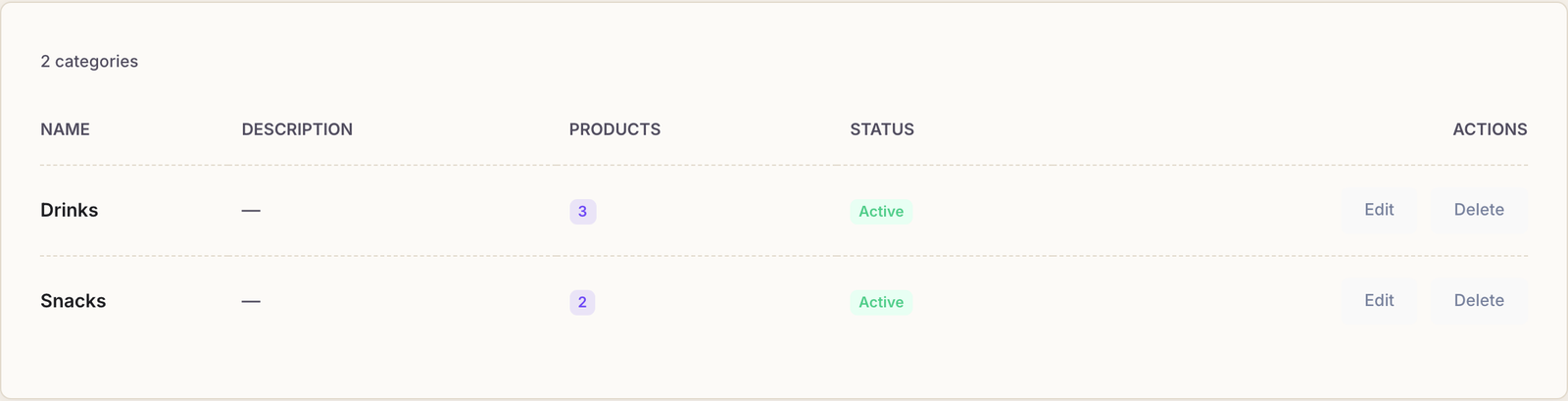
Open Inventory → Categories and add the two or three groupings your buffet actually has: Drinks, Snacks, maybe Sandwiches. Every product belongs to one, and they are what the category filter uses at the till.
Each category needs only a name; the description is optional.
Add the product
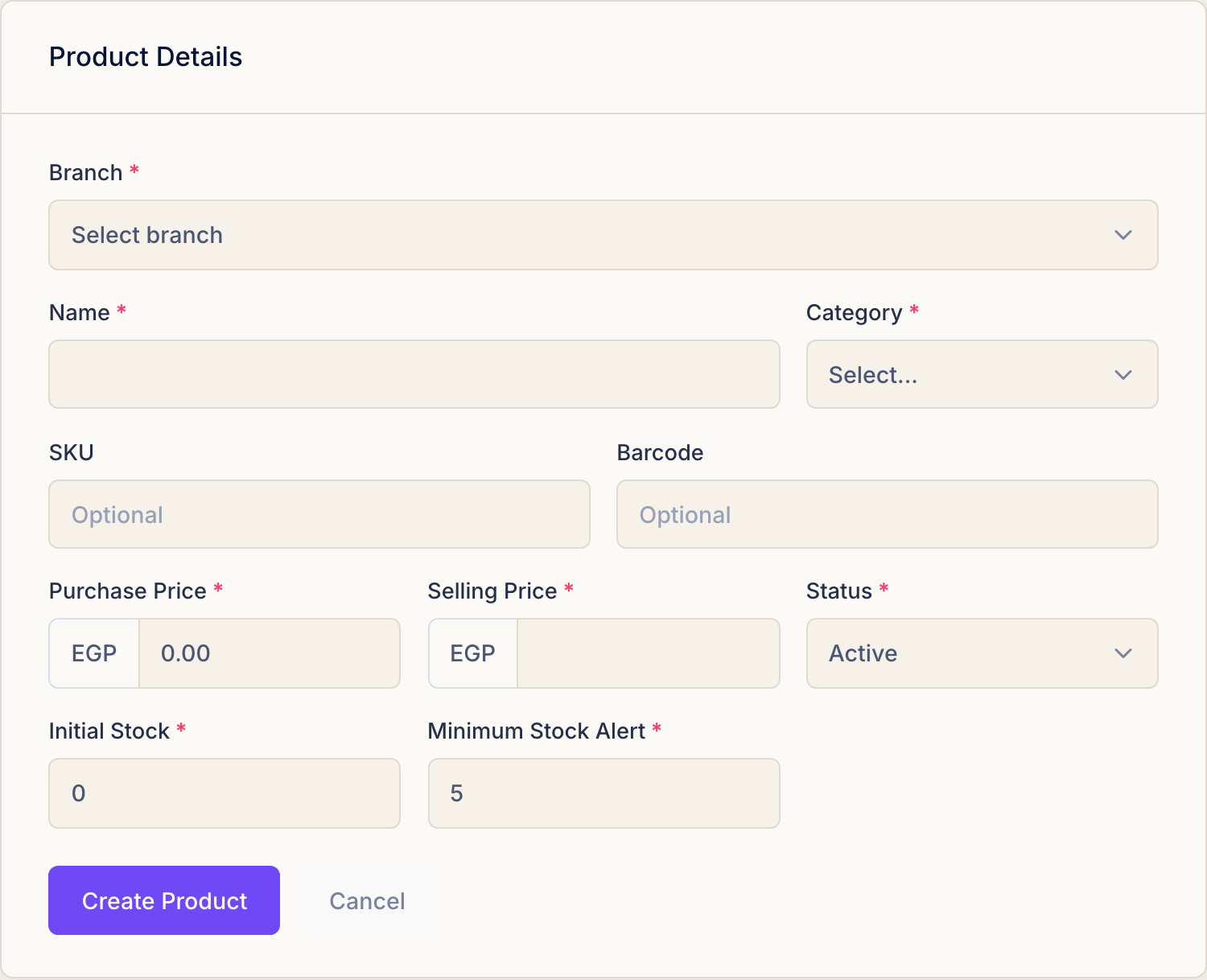
Inventory → Products, then New Product.
- Branch. Which shop this stock sits in. Stock is counted per branch, so a can of Pepsi in one branch is not a can in another.
- Name. What it is called on the shelf.
- Category. One of the groupings you just made.
- SKU and Barcode (optional) — your own code, and the barcode on the packet.
- Status. Active puts it on sale. Inactive hides it from the till without deleting its history.
The two prices
- Purchase Price — what you paid the supplier for one.
- Selling Price — what the customer pays.
Do not skip the purchase price. It is the only place Rank learns what your stock costs, and without it the profit report can only show revenue. Five seconds here is the difference between knowing your takings and knowing your margin.
Stock and the low-stock alert
- Initial Stock — how many you have on the shelf right now. Rank counts down from here as things sell, whether they are sold at the till or added to a session.
- Minimum Stock Alert — the level at which Rank starts warning you. Set it to roughly what you get through between deliveries, so the warning arrives with time to act rather than on the day you run out.
Save
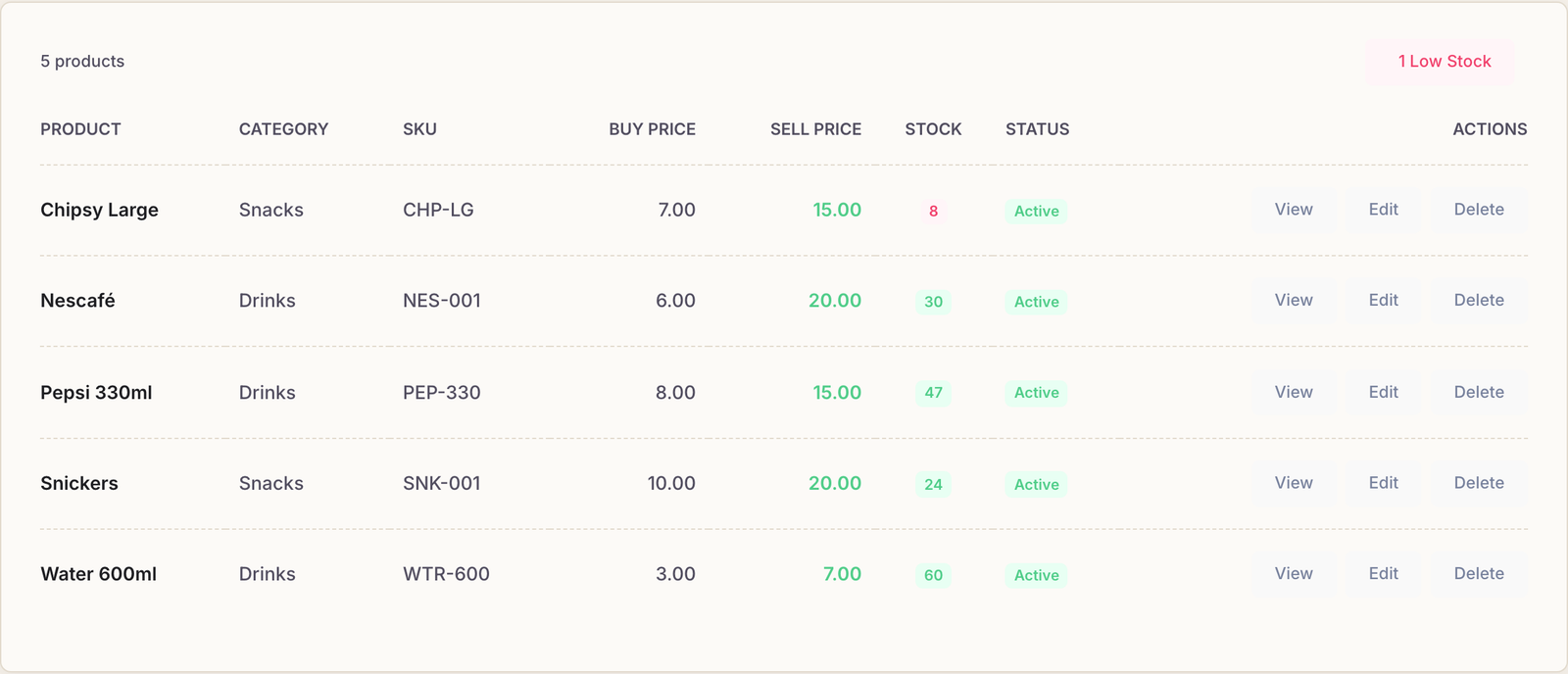
Create Product and it appears in the list with its prices, its stock and its status — and is immediately sellable at the till and inside a session.
Common questions
The Category list is empty.
Create a category first — Inventory → Categories.
We stopped selling something. Delete it?
Set it to Inactive instead. It disappears from the till and from the products panel, but every sale it was ever part of stays intact — so last month's report still adds up.
A new delivery arrived. Do I edit the stock number?
No — use Stock Levels, which records the delivery as a movement rather than silently overwriting a number. See keeping stock straight.
I do not have an Inventory section at all.
Products and stock belong to plans that include inventory. If the section is missing from your menu, your plan does not carry it — everything else in Rank works exactly as documented.