
While the session is running
Add drinks, pause the clock, move a customer to another machine.
The running card
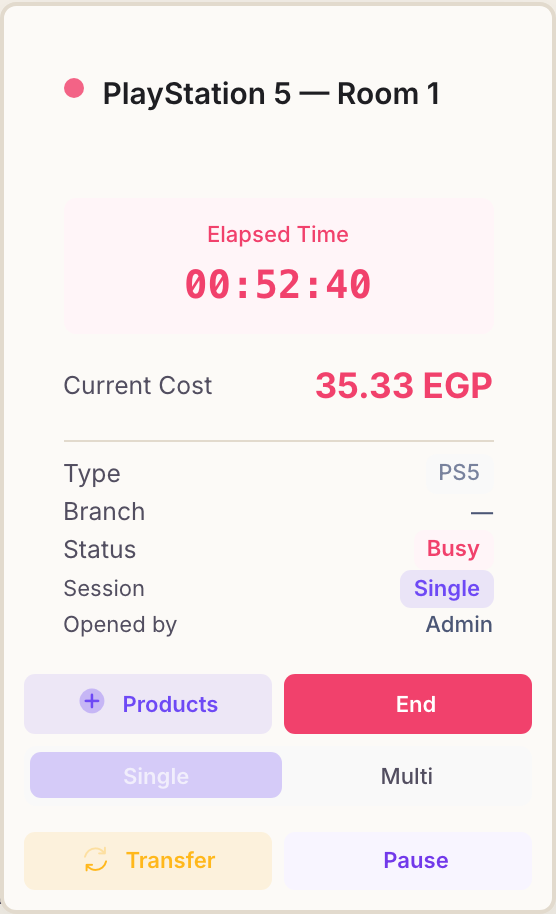
A machine in play turns pink with a red dot beside its name. Two numbers do the work: how long they have been playing, and what they owe for that time so far. Both tick along on their own — nothing to refresh.
Move your pointer over the card (or tap it on a phone) and the rest appears: the session type, who opened it, and the buttons below.
Adding drinks and snacks
Press Products and a panel slides in from the side of the screen with your whole menu in it. Search by name, or filter by category, then press + on each item the customer wants — the running total at the bottom updates as you go.
Add to Session puts them on the customer's tab. They are charged when the session ends, alongside the playing time, and the stock comes off the shelf immediately.
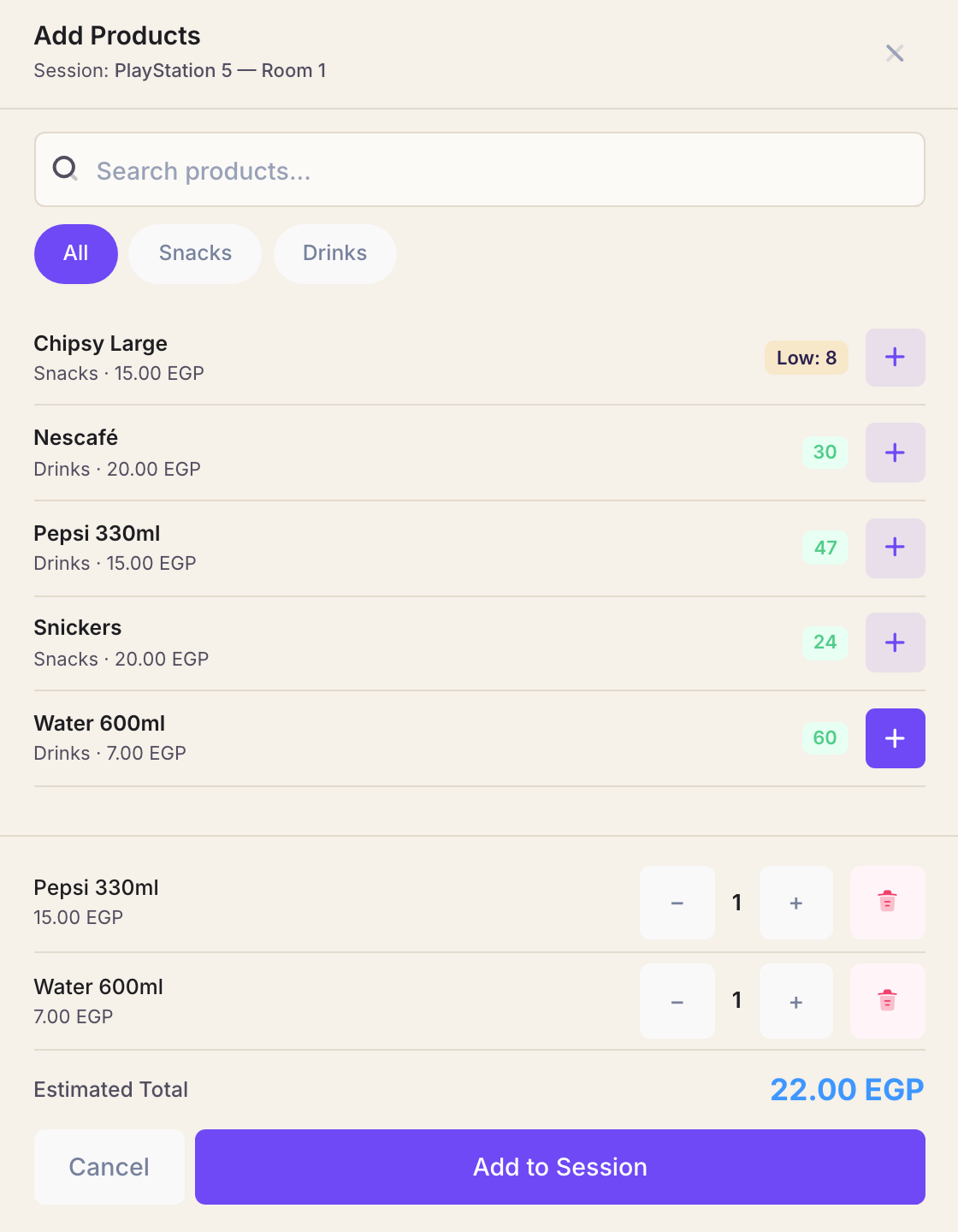
The number beside each product is what is left. An amber Low badge means it has fallen under the minimum you set for it — see keeping stock straight.
A friend joins, or leaves
The Single and Multi buttons on the card switch the rate mid-session. Press Multi when a second player sits down, and Rank charges the multiplayer rate from that moment; the time already played stays at the rate it was played at.
Pausing the clock
Pause stops the timer and the cost where they are, and frees the machine. Use it when the customer steps out for a while and you want to put someone else on the PlayStation meanwhile.
Rank asks you to confirm, and tells you plainly what it is about to do: the cost so far is locked in and the device is released. Paused sessions gather in their own strip on the dashboard, and you resume one from there when the customer comes back.
Paused time is not charged. That is the point of the button — but it also means a session left paused and forgotten is a session nobody is being billed for. Glance at the paused strip before you close up.
Moving to another machine
Transfer moves a customer to a different PlayStation without losing what they already owe — the screen flickers, the group wants the bigger room, whatever the reason. Pick the destination from the list of machines that are free, and confirm.
The cost so far is locked in at the old machine's rate, and the new machine's rate applies from the move on. Anything already added from Products travels with the customer.
When the floor is busy
Twelve cards is a lot of scrolling. Active Sessions in the menu is the same information as a list: one row per machine, with the live timer, the rate, the cost so far, and Add Products and End Session on each row.
