
Starting a session
Put a customer on a PlayStation — single or multi, by time or by match.
Before you start
Rank needs four things to be true before it will open a session. If one of them is missing, the common questions at the bottom of this page explain what to do.
- Your Rank subscription is active. If it has lapsed, every screen sends you to the renewal page instead.
- Your account is allowed to start sessions. Without that permission you can still see the machines, but no start button appears on the cards.
- Your shift is open — unless you are the café owner, who never needs one. Session money has to land in a cash drawer, so employees open a shift first.
- The machine is available. A PlayStation that is already in play cannot take a second session.
Open the dashboard
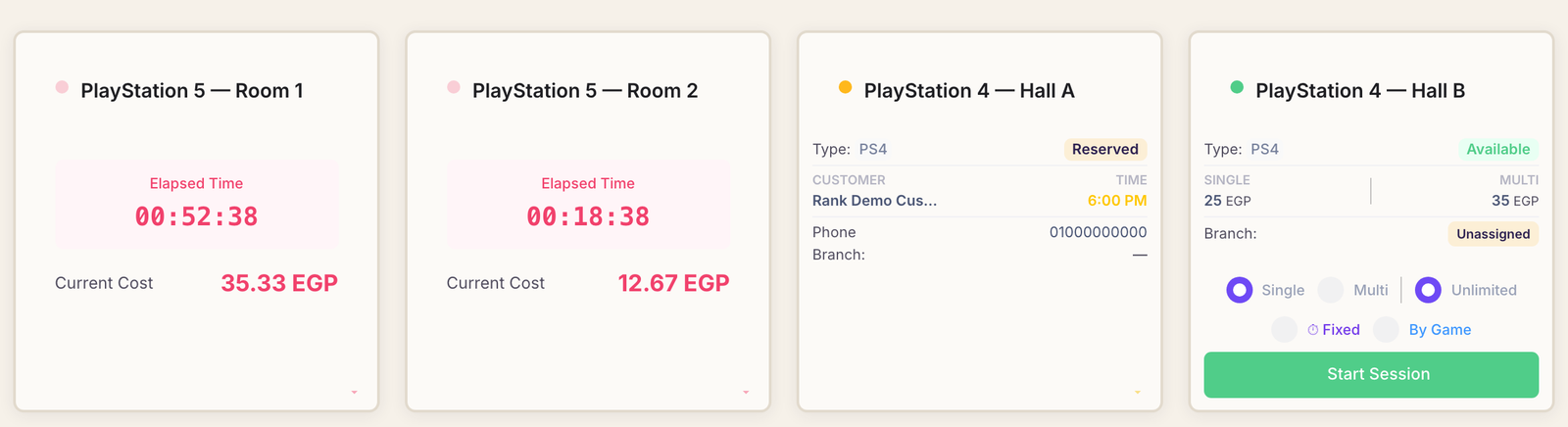
Sessions start from the dashboard — the screen you land on after signing in. Scroll to the section headed Device Overview, where every PlayStation in your café appears as its own card.
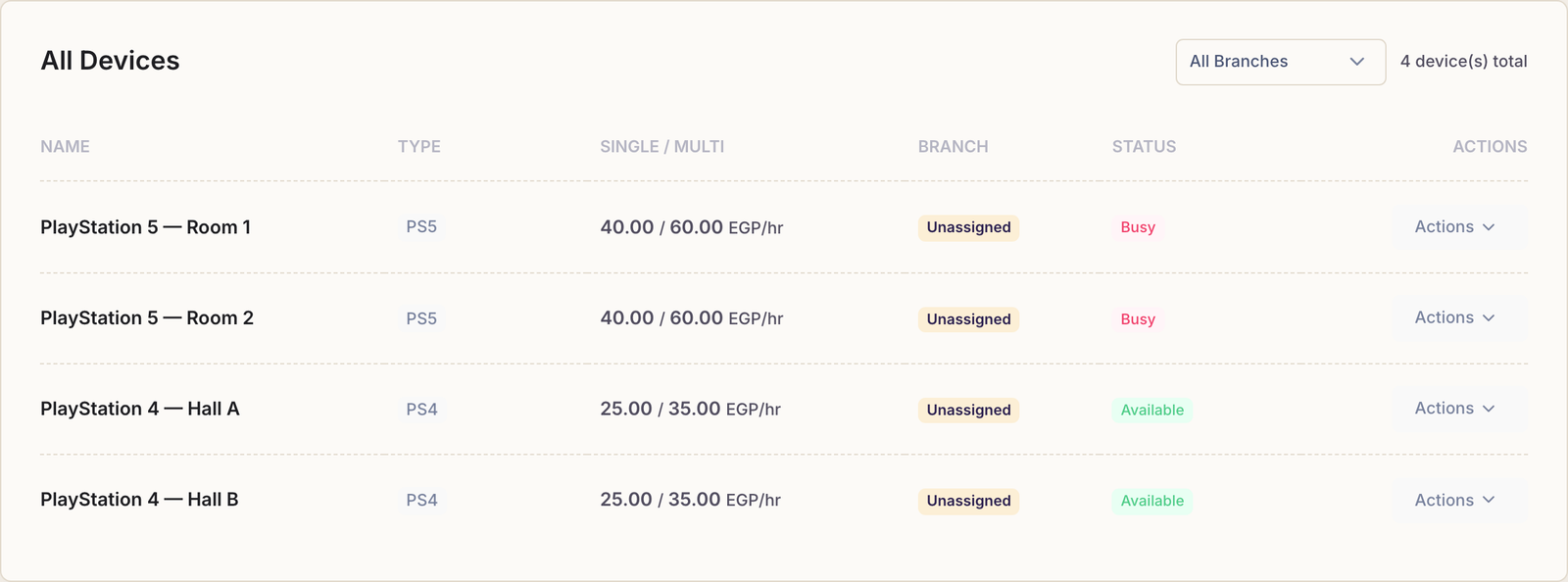
The Devices page is a different screen. Devices in the sidebar is where you add machines, set their prices and rename them. It has no start button — day-to-day floor work happens on the dashboard.
Pick a PlayStation
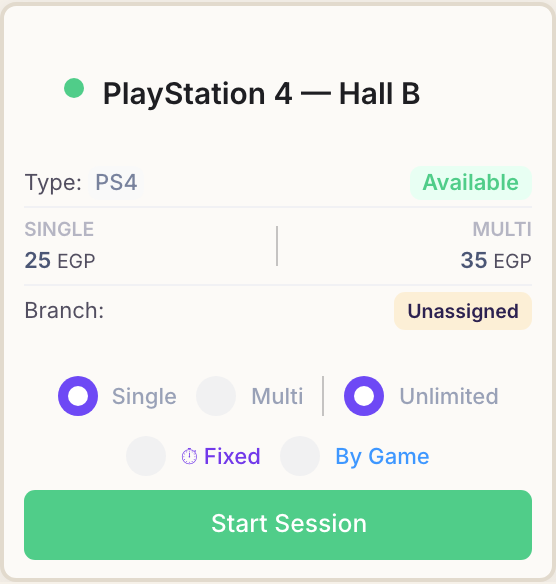
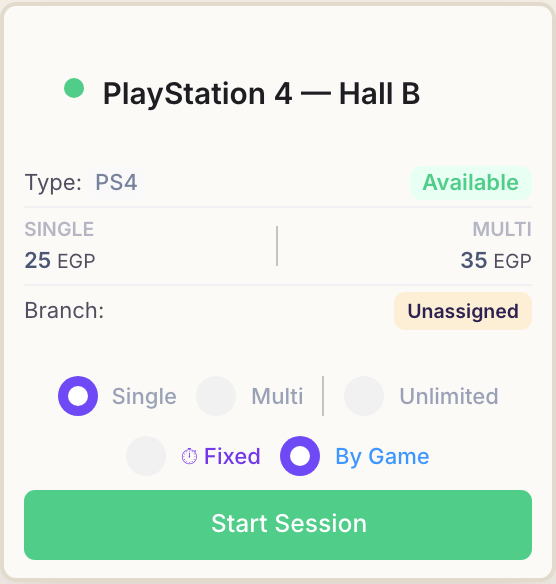
Find the card for the machine your customer is sitting at. A free machine shows a green dot beside its name and an Available badge.
The card also shows the two hourly rates you set for that machine:
- Single — the rate for one player.
- Multi — the rate when several people play together, usually the higher of the two.
Choose how it is billed
Each card carries two rows of choices. The first row is who is playing; the second is how you are charging them.
Who is playing
- Single — bills at the machine's single-player rate. Selected by default.
- Multi — bills at the multiplayer rate.
How they pay
- Unlimited — open-ended play with no finish time. The card counts up and the cost grows with it until you end the session. This is the default.
- Fixed — the customer buys a set amount of play time. Choosing it reveals a duration list (30 minutes, 1 hour, 1 hour 30 minutes, 2, 3, 4 or 5 hours) with a preview of the play time and the clock time it will run out.
- By Game — charging per match rather than per hour, using the per-game price set on the machine. Time is not charged at all; you count matches on the card as they play.
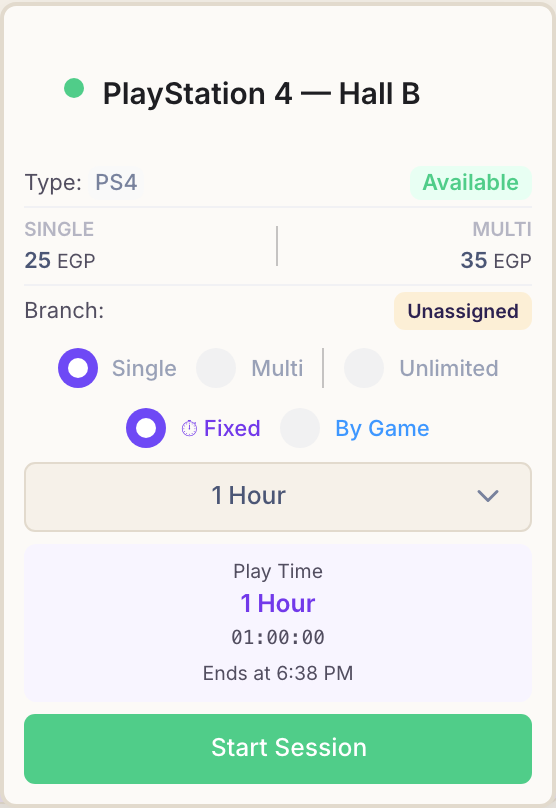
Fixed time does not stop the machine. When the purchased time runs out Rank warns you, but play continues. If the customer keeps going, the extra time is added to the bill at the same hourly rate — so end the session when they actually stop.
Start the session
Press the green Start Session button at the bottom of the card. If that machine has a booking waiting, the same button reads Start Reserved Session, and starting play also marks the reservation as started.
The page does not reload. The card you pressed turns into a live session card where it stands, and charging begins the moment you press the button.
What happens next
A machine in play turns pink, with a red dot beside its name. The card shows the two numbers you need at a glance:
- Elapsed Time — how long they have been playing, ticking up live.
- Current Cost — what they owe for gaming time so far.
From here, while the session is running covers adding drinks, pausing the clock and moving a customer to another machine, and ending a session covers the bill.
Common questions
There is no Start Session button on the card. Why?
Your account does not have permission to start sessions, so Rank shows the machine as available but gives you no way to open one. Ask the café owner to grant that permission from the employees screen.
Rank asks me to start my shift first. What does that mean?
Session money has to land in somebody's cash drawer, so every employee needs an open shift before opening a session. Rank offers a Go to Shifts button in that message: open your shift there, then start the session as usual.
The café owner is the exception and can start sessions without a shift.
A machine is greyed out and marked Frozen. What happened?
You have more machines than your subscription plan allows, so Rank locked the extra ones rather than deleting anything. Upgrade your plan, or switch a different machine off, and the frozen one becomes usable again.
How does Rank work out the cost?
For unlimited and fixed sessions Rank counts the minutes played and charges them at the machine's hourly rate — single or multi, depending on what you picked. A part-minute counts as a whole minute.
By Game sessions ignore time completely: the bill is the number of matches multiplied by the machine's per-game price.
Anything added from Products is charged on top, and paused time is not billed.