
Taking a booking
Reserve a PlayStation for a customer, then confirm, cancel or mark a no-show.
Open Reservations
Reservations in the menu, then New Reservation at the top right. Anyone who can manage reservations can take a booking — it does not have to be the owner.
Fill in the booking
Five fields, two of which are optional.
- Device. Only machines that are free appear in the list. If the PlayStation the customer asked for is missing, someone is playing on it right now.
- Customer Name. How you will recognise them when they walk in.
- Phone (optional) — so you can call if the machine is running late.
- Reservation Time. The date and time they are coming.
- Expected End Time (optional) — roughly how long they want it for, which helps you avoid double-booking the same evening.
- Notes (optional) — anything worth remembering: a birthday, two controllers, a friend joining later.
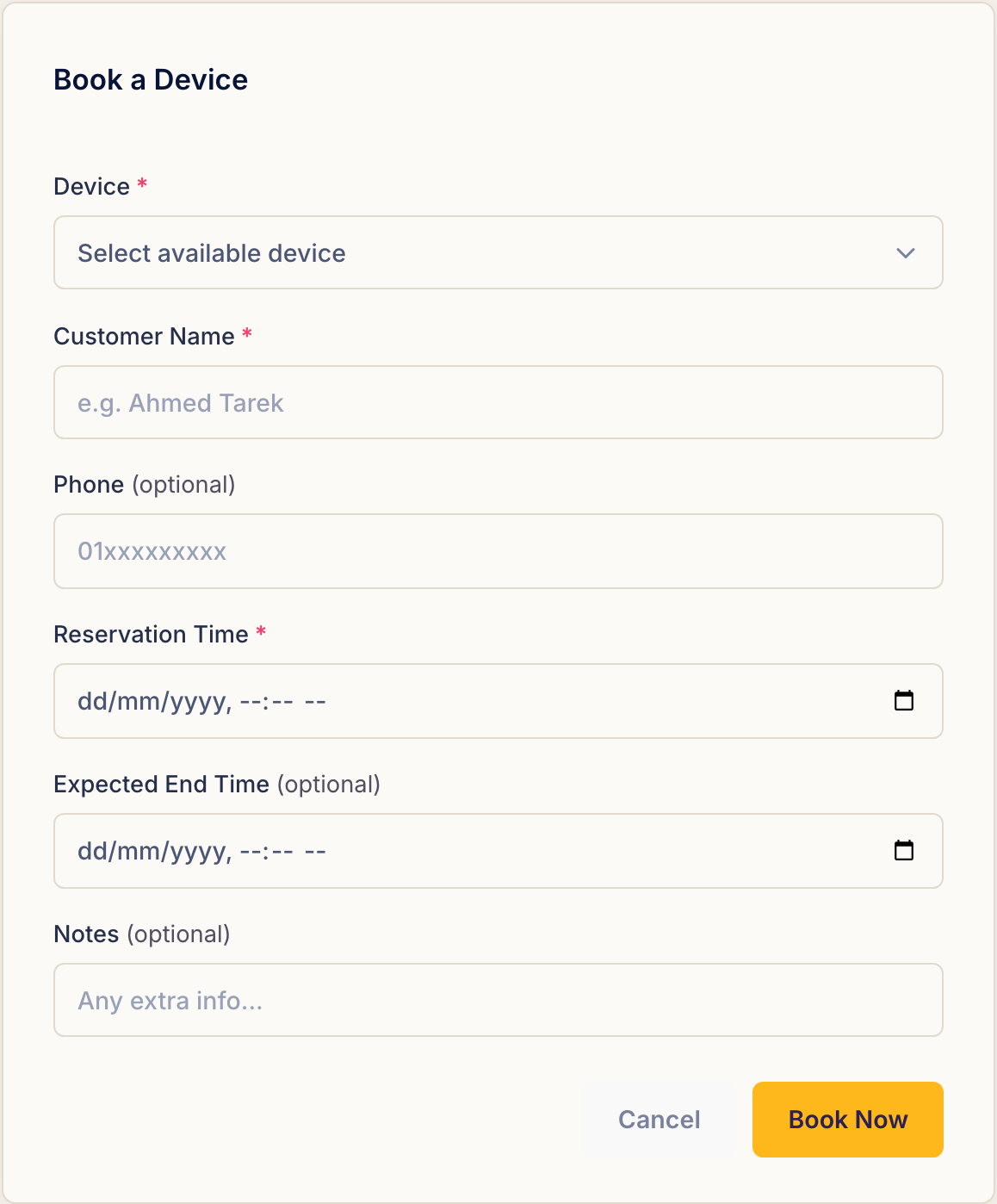
Press Book Now and it is on the list.
Today and Upcoming
The Reservations page is split in two. Today's Reservations is what the shift in front of you needs to know; Upcoming is everything after today.
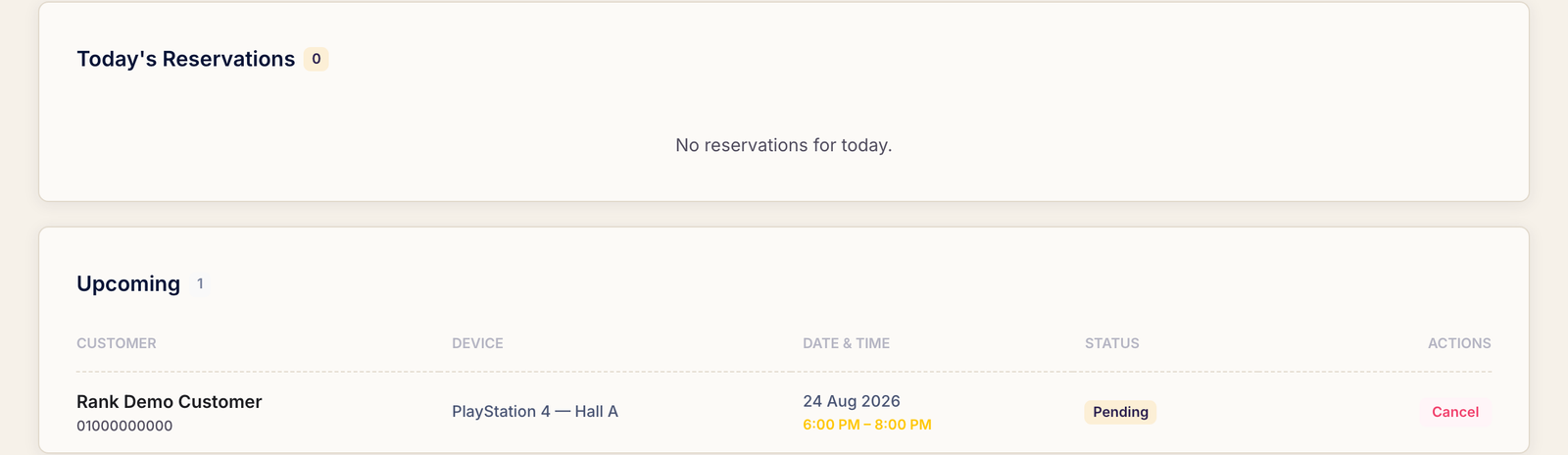
A new booking sits at Pending until something happens to it. Today's rows carry the full set of actions — Confirm, No-show and Cancel; future rows can only be cancelled, since nobody can be a no-show for tomorrow.
When the customer arrives
You do not need to come back to this page. Go to the dashboard and start the session as usual — the card for a booked machine reads Start Reserved Session instead of the normal button, and starting play marks the reservation as started at the same time.
Confirm on the reservation row is for the phone call before they arrive — they rang to say they are definitely coming — not for the moment they sit down.
When they don't
- No-show — they never turned up. Marking it keeps the machine's history honest and leaves a record of who does this.
- Cancel — they called it off, or you had to. Rank asks you to confirm first.
Common questions
The device I need is not in the list.
The list only offers machines that are available. One that is in play right now cannot be selected, even for a booking three days away.
Does a reservation stop someone else using the machine?
No. Rank does not hold a PlayStation empty waiting for a booking — that would cost you an evening of play. The reservation is a note to your staff; the machine stays usable until the customer arrives.
Can I edit a booking?
There is no edit. Cancel the one that is wrong and take a new booking — it is two clicks and it leaves a cleaner trail than a quietly rewritten time.