
Opening & closing a shift
Start the drawer at the beginning of the day and count it at the end.
Why shifts exist
A shift is a working stretch with a cash drawer attached. Every session ended and every sale made while it is open belongs to it, which is what lets Rank answer the only question that matters at handover: this person worked these hours, took this much, and this is what should be in the drawer.
Employees need an open shift before they can start a session. The café owner does not — but opening one anyway is the only way the owner's own takings get counted the same way.
Open the shift
Shifts → My Shifts. With no shift running, the page offers to start one.
- Opening Cash. Count the float physically sitting in the drawer and type that number. This is what the closing count is measured against, so guessing here guarantees a discrepancy later.
- Opening Notes (optional) — anything the next person should know.
Press Start Shift.
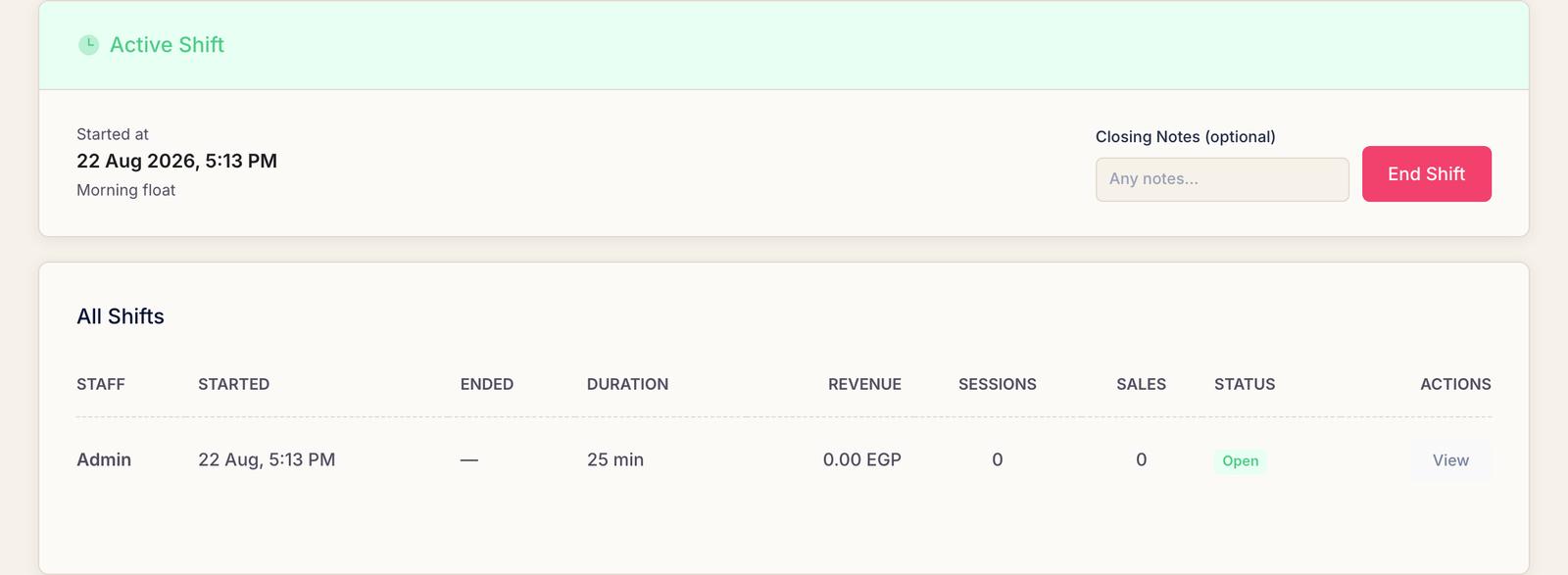
While the shift runs
Nothing more to do — just work. Sessions and sales attach themselves to the open shift as they happen, and the dashboard grows a small panel showing what this shift has taken so far and what should be in the drawer right now.
Close the shift
Open the shift's own page — View on its row — and read the summary before you close anything:
- Total Revenue Collected, split into gaming and sales.
- Sessions and Sales — how many of each.
- Opening Cash and the expected drawer — what should be there.
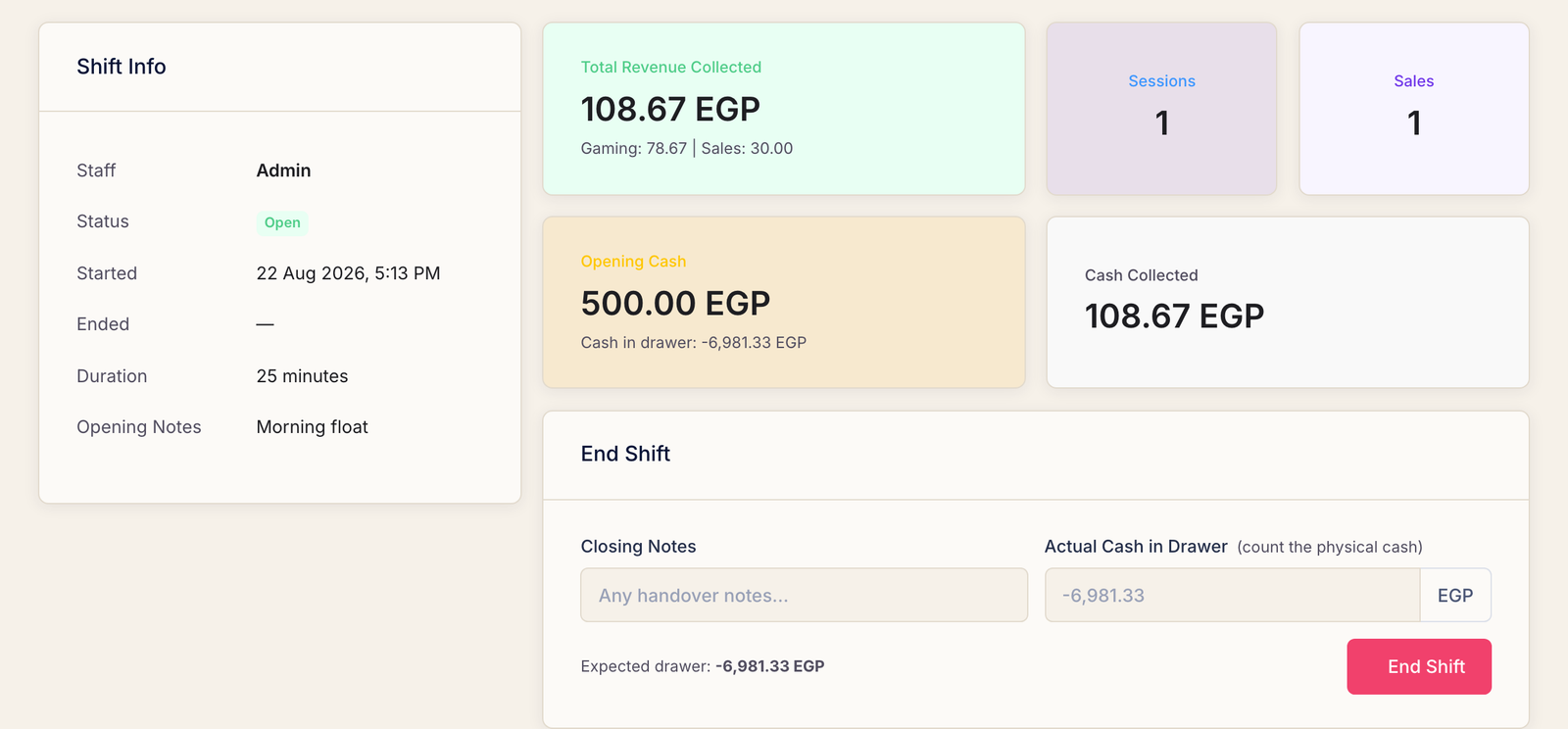
Then close it:
- Actual Cash in Drawer. Count the physical money and type what is actually there — not what the screen expects. The whole point of the number is that it comes from your hands, not from Rank.
- Closing Notes (optional) — handover notes for whoever is next.
Press End Shift.
Over and short
Rank compares your count to what it expected and says so plainly.
- Over — more cash than expected. Usually a sale entered twice, or one recorded as a transfer that was actually paid in cash.
- Short — less cash than expected. Usually money taken out for a purchase that was never recorded as an expense.
A short drawer needs the owner. When the count comes up short, Rank flags the shift for review and only the owner can approve and clear it. That is deliberate: an employee cannot sign off their own shortfall.
Common questions
Rank will not let me start a session — it says to start my shift.
Exactly that: open your shift on the Shifts page first. Rank offers a button straight to it in the message.
Can two people share one shift?
No, and they should not. A shift belongs to one account. Sharing a login is what makes a shift report useless, because Rank can no longer say who took the money.
I forgot to close my shift last night.
Close it now and say so in the closing notes. The takings were still recorded correctly; only the duration is wrong, and a note explains it to whoever reads the report.
Rank is asking for a PIN when I close the shift.
The owner has turned on the privacy PIN for closing shifts. Ask them to enter it — it is the same protection that guards refunds and deleting expenses.